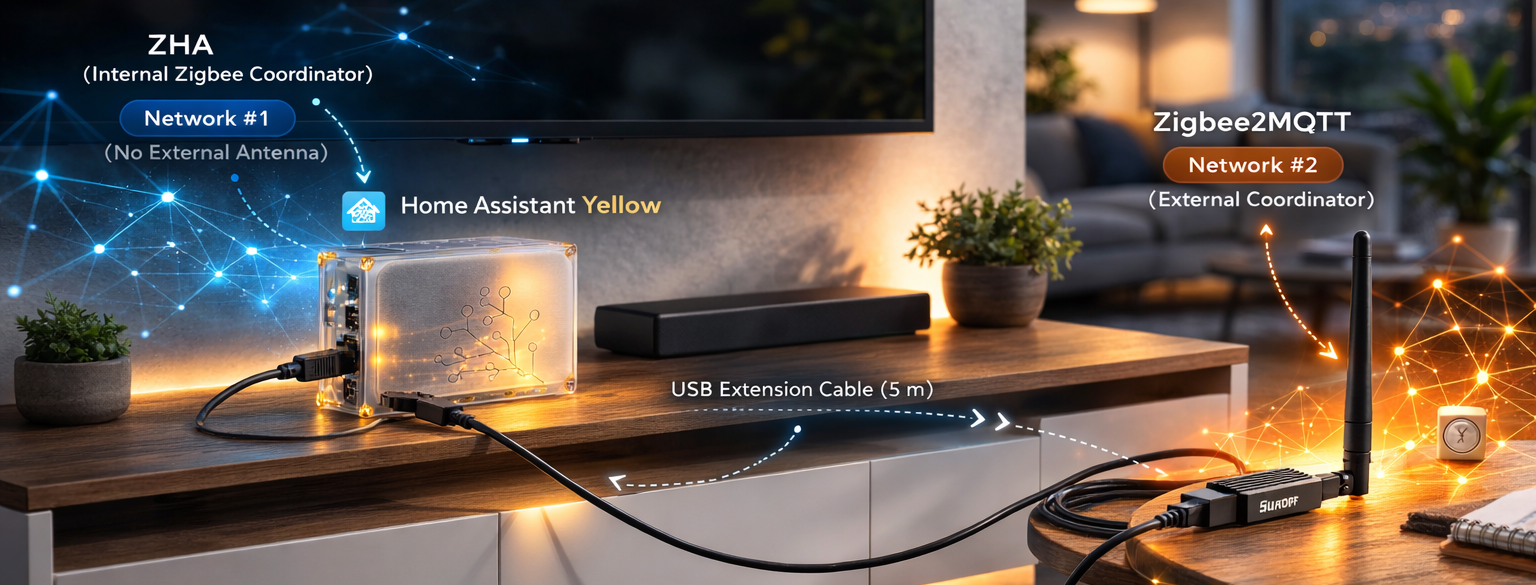

For a long time, my Zigbee setup in Home Assistant was fully based on ZHA running on Home Assistant Yellow.
It was stable, reliable, and already managing more than 40 devices. So when I needed better support for a few specific devices (especially a Tuya button), I did not want to migrate everything and risk breaking a working network.
Instead, I built a hybrid architecture:
- Keep ZHA exactly as it is for the existing mesh
- Add a second coordinator for Zigbee2MQTT
- Pair only selected devices to the new Zigbee2MQTT network
This turned out to be the safest way to extend compatibility without downtime.
Why I did not migrate everything
A full migration from ZHA to Zigbee2MQTT would require re-pairing every device.
In a production home setup, that means unnecessary risk:
- Temporary automation outages
- Broken device references
- Time-consuming reconfiguration
My ZHA network was already healthy, so replacing it would have solved no real problem.
What I actually needed was targeted compatibility for some devices where Zigbee2MQTT has better converters and cleaner action modeling.
Final architecture
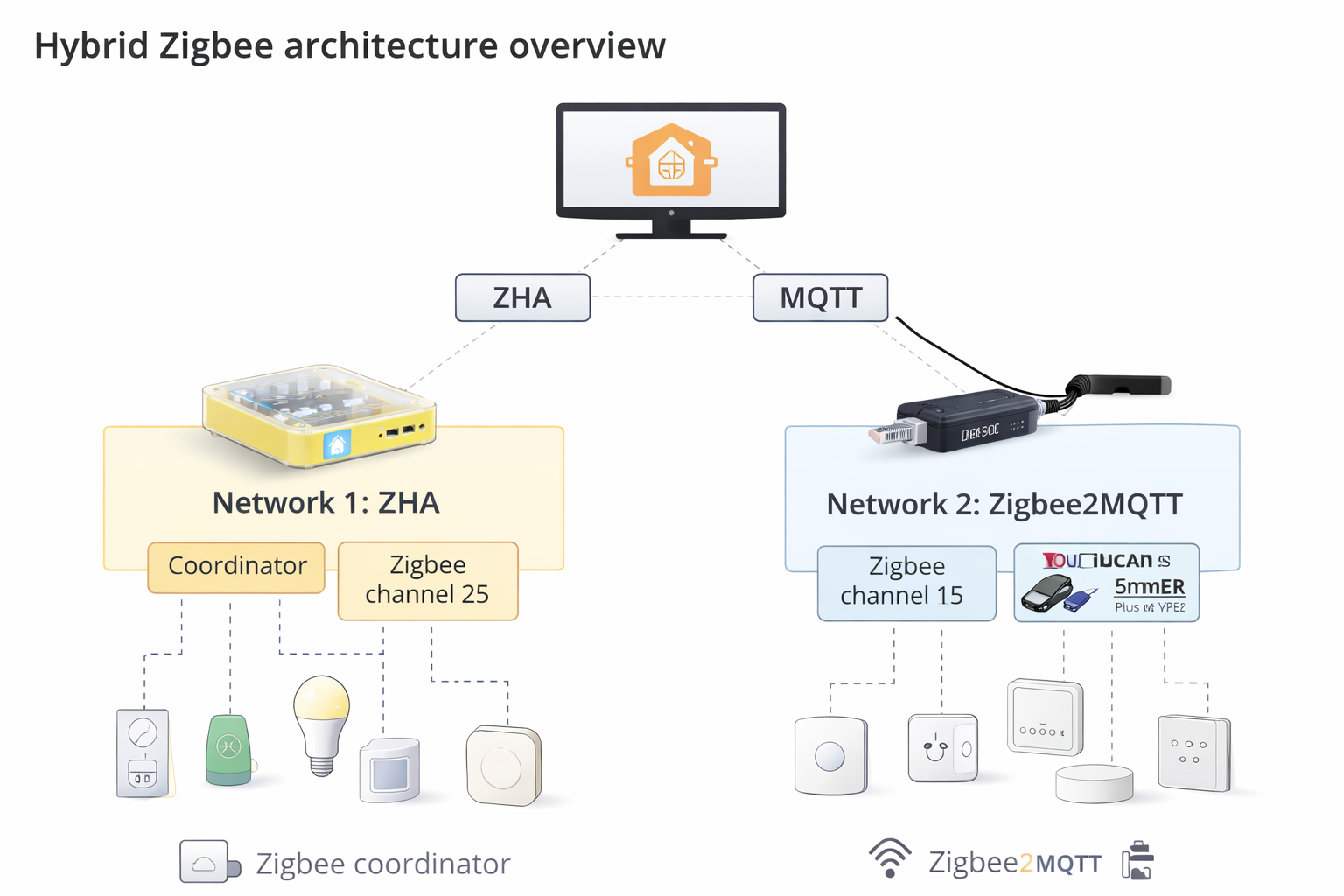
I now run two independent Zigbee networks in parallel:
Network 1: ZHA
- Coordinator: Home Assistant Yellow internal Zigbee radio
- Zigbee channel: 25
- Purpose: Existing core mesh and legacy devices
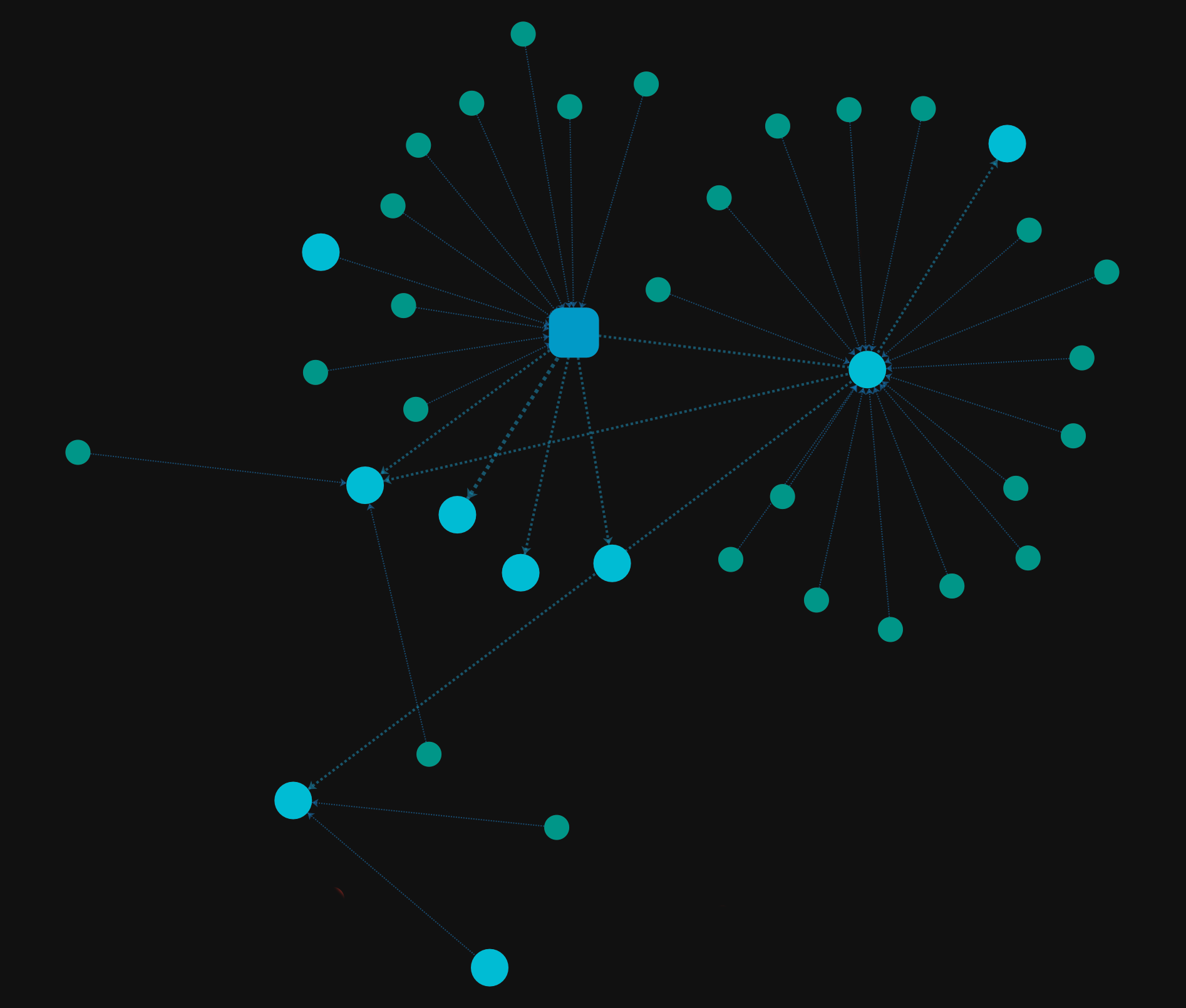
Network 2: Zigbee2MQTT
- Coordinator: SONOFF Zigbee 3.0 USB Dongle Plus V2 (EFR32MG21)
- Zigbee channel: 15
- Adapter type:
ember - Purpose: Devices with better support in Zigbee2MQTT
Important: these networks are independent. A device belongs to one network only.
Hybrid architecture diagram
This is the mental model I use. ZHA integrates directly with Home Assistant, while Zigbee2MQTT goes through MQTT (Mosquitto) and then shows up in Home Assistant via MQTT discovery.
Prerequisites
Before pairing anything in Zigbee2MQTT, I installed:
- Mosquitto Broker add-on
- Zigbee2MQTT add-on
- MQTT integration in Home Assistant
This gives Zigbee2MQTT a stable transport layer and allows Home Assistant to auto-discover exposed entities and triggers.
How Zigbee2MQTT integrates with Home Assistant via MQTT discovery
Unlike ZHA, which integrates directly with Home Assistant’s device registry, Zigbee2MQTT communicates entirely through MQTT.
The flow looks like this:
- A Zigbee device talks to the Zigbee2MQTT coordinator (the USB dongle)
- Zigbee2MQTT publishes messages to the MQTT broker (Mosquitto)
- Home Assistant’s MQTT integration subscribes to discovery topics and creates devices/entities/triggers automatically
In practice, that means Zigbee2MQTT devices only show up inside Home Assistant if:
- Mosquitto is running
- The MQTT integration is enabled
- Zigbee2MQTT can reach the broker
Without that last step (MQTT discovery), Zigbee2MQTT can still pair devices and show them in its own UI, but Home Assistant will not see them.
Zigbee2MQTT baseline config
This is the core configuration I used:
mqtt:
  server: mqtt://core-mosquitto:1883

serial:
  port: /dev/ttyUSB0
  adapter: ember

advanced:
  channel: 15
  pan_id: GENERATE
  network_key: GENERATE
The key point is coordinator isolation:
- Internal radio stays dedicated to ZHA
- USB dongle stays dedicated to Zigbee2MQTT
Do not try to share the same coordinator between both integrations.
Adapter type and firmware: why ember matters
My Sonoff Zigbee dongle uses a Silicon Labs EFR32MG21 chip, so Zigbee2MQTT must use the ember adapter type.
Zigbee2MQTT supports multiple adapters depending on the coordinator chipset:
ember: Silicon Labs EFR32 (my setup)zstack: Texas Instruments CC2652 based coordinatorsdeconz: ConBee coordinators
If you pick the wrong adapter type, Zigbee2MQTT typically fails to start, cannot open the serial connection correctly, or behaves unreliably.
Channel planning and RF stability
To reduce interference, I separated channels deliberately:
- ZHA on channel 25
- Zigbee2MQTT on channel 15
- Wi-Fi on channel 1 or 6 where possible
I also used a USB extension cable for the Zigbee2MQTT dongle and kept it away from metal surfaces and other noisy electronics.
That small physical change improves link quality more than many software tweaks.
Pairing workflow for the second network
The pairing flow is simple:
- Enable
Permit Joinin Zigbee2MQTT. - Put the target device in pairing mode.
- Wait for Zigbee2MQTT interview completion.
- Confirm the device appears in Home Assistant via MQTT discovery.
I only pair new or problematic devices to Zigbee2MQTT.
Everything already stable in ZHA stays untouched.
Real-world example: Tuya TS0041 button
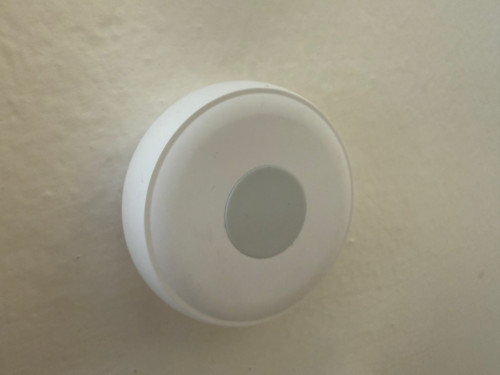
This button was the main reason I introduced Zigbee2MQTT.
In my setup:
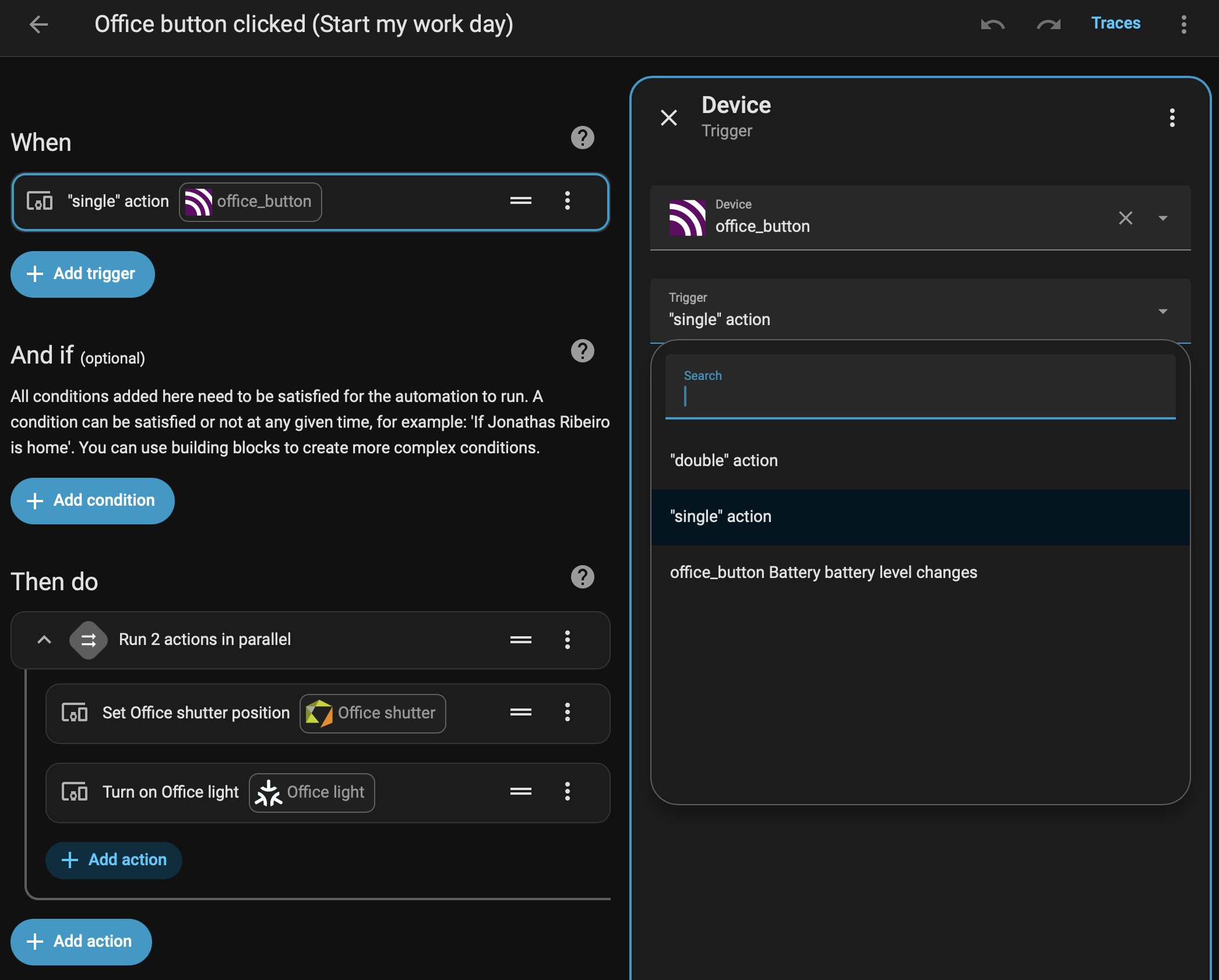
- ZHA exposed it as a switch instead of a button, with an On-Off toggle instead of action events.
- Zigbee2MQTT exposed clear action events like
single,double, andhold
That made automations significantly cleaner and easier to maintain.
Instead of parsing raw event payloads, I can build automations directly with device triggers in the Home Assistant UI.
What this hybrid model gives me
Running both integrations side by side delivered exactly what I wanted:
- No migration downtime
- No mass re-pairing effort
- Better support for selected edge-case devices
- Incremental rollout with low risk
In practice, ZHA remains the stable baseline while Zigbee2MQTT acts as a compatibility layer for specific devices.
Lessons learned
If you already have a stable ZHA mesh, a full migration is often unnecessary.
A second Zigbee network with Zigbee2MQTT can be a cleaner strategy when you need better support for specific devices.
The two rules that mattered most in my setup were:
- Keep coordinators strictly isolated.
- Plan channels and physical dongle placement carefully.
With those in place, both networks can coexist reliably in Home Assistant.