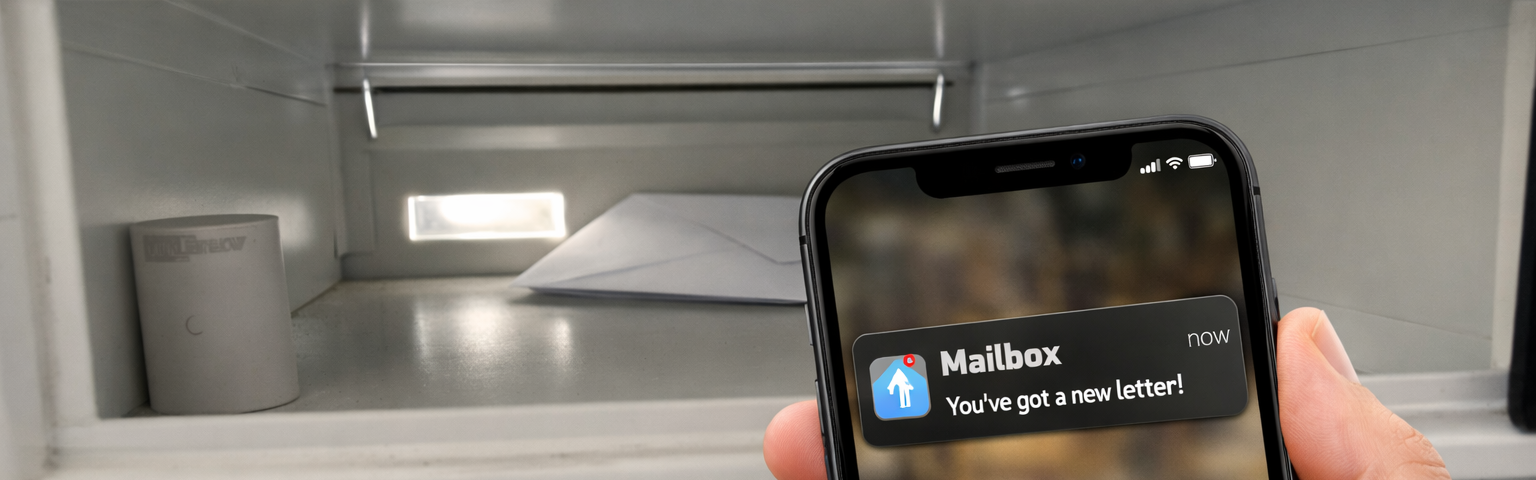

I live in Prague, and like many apartment buildings here, the mailboxes are grouped in the building entrance instead of inside the flat. Letters arrive through a slot and fall directly inside the box.
There is something deeply satisfying about turning physical events into software events. Not just monitoring systems, not dashboards, not metrics. Real-world events, like receiving a letter.
This project started with a simple goal:
Receive a push notification the exact moment a letter arrives in my mailbox.
Not when I open it, not when I check it, but when it physically arrives.
This required bridging the physical and digital worlds using Zigbee, MQTT, and Home Assistant.
What sounded like a tiny automation turned into a deeper project involving Zigbee range problems, metal interference, firmware flashing, and creative power solutions.
The physical constraints
My mailbox is located outside my apartment, in the building entrance hallway.
This introduces multiple problems:
- It is physically separated from my apartment
- There are several walls between the mailbox and my Zigbee coordinator
- There are no power outlets near the mailbox
This immediately ruled out:
- Wi‑Fi devices
- Mains‑powered Zigbee routers
- Any solution requiring permanent power
This forced a battery‑powered Zigbee routing architecture.
High‑level architecture
To understand how everything connects, here is the full architecture:
+ Powerbank"] subgraph HAHost["🖥️ Home Assistant Host"] Z2M["Zigbee2MQTT"] HA["Home Assistant"] Z2M --> HA end Phone["📱 iPhone Notification"] Mailbox --> Sensor Sensor --> Router Router --> Z2M HA --> Phone
This converts a physical event into a software event:
Physical motion → Zigbee message → MQTT event → Automation → Push notification
What I tried first
Direct pairing
My first attempt was simply pairing the motion sensor and placing it inside the mailbox. It worked occasionally, but the signal was unreliable. Metal enclosures and distance are brutal for 2.4 GHz signals.
Normal Zigbee repeater
The standard fix would be placing a mains-powered Zigbee repeater near the entrance. That would likely solve coverage, but there are no power sockets near the door.
Alternative technologies
I also considered 433 MHz sensors and a bridge. Technically viable, but it would add a second wireless stack only for this use case. I wanted to keep everything in the existing Zigbee ecosystem.
The key idea
A Zigbee USB dongle can run in router mode and be powered entirely from a battery. That unlocked the final design.
Hardware components
Motion sensor
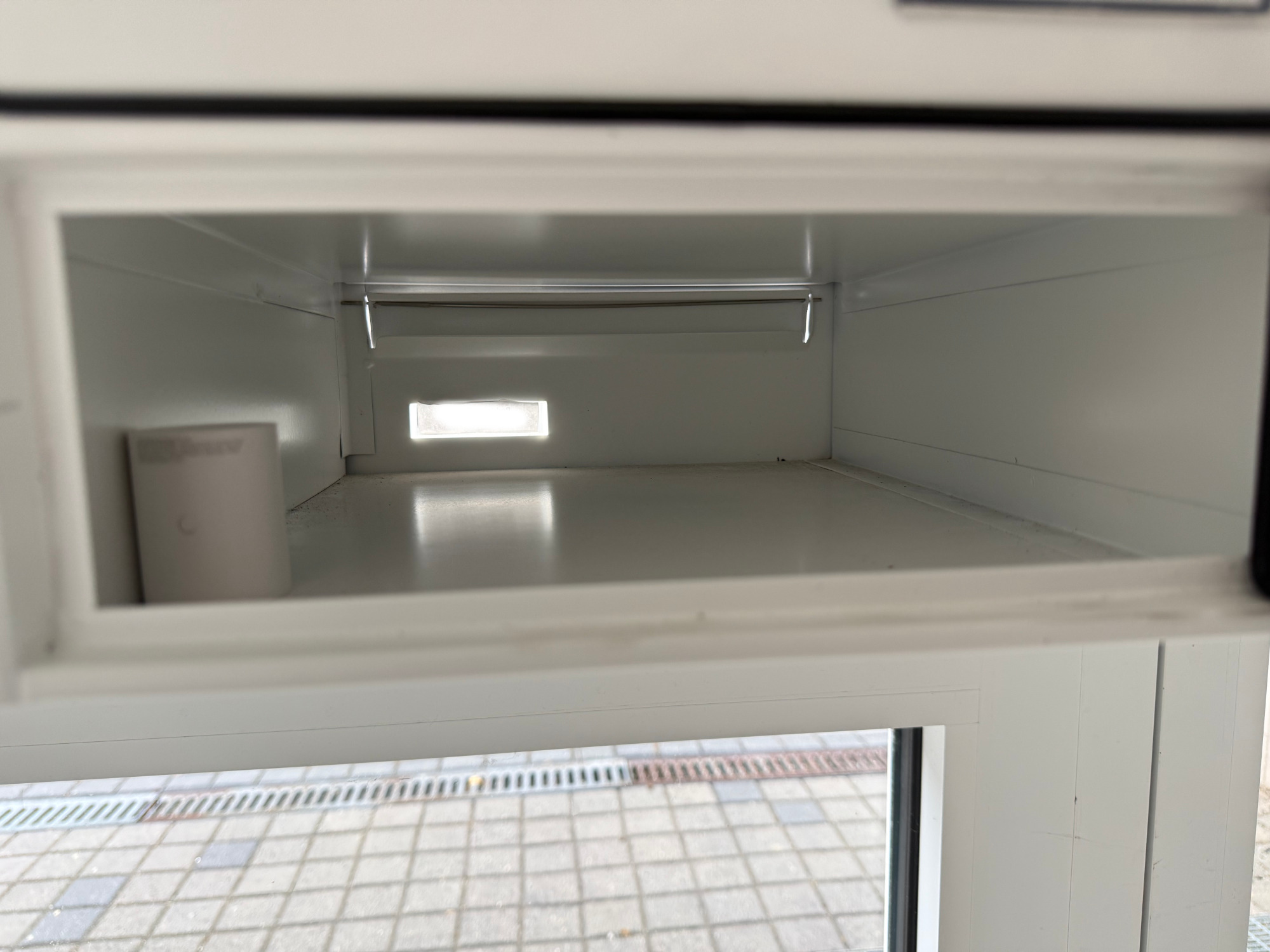
Aqara Motion Sensor P1 was selected because of:
- Extremely low power consumption
- Reliable Zigbee performance
- Long battery life
- Excellent Zigbee2MQTT compatibility
It detects motion when letters fall inside the mailbox.
Zigbee router
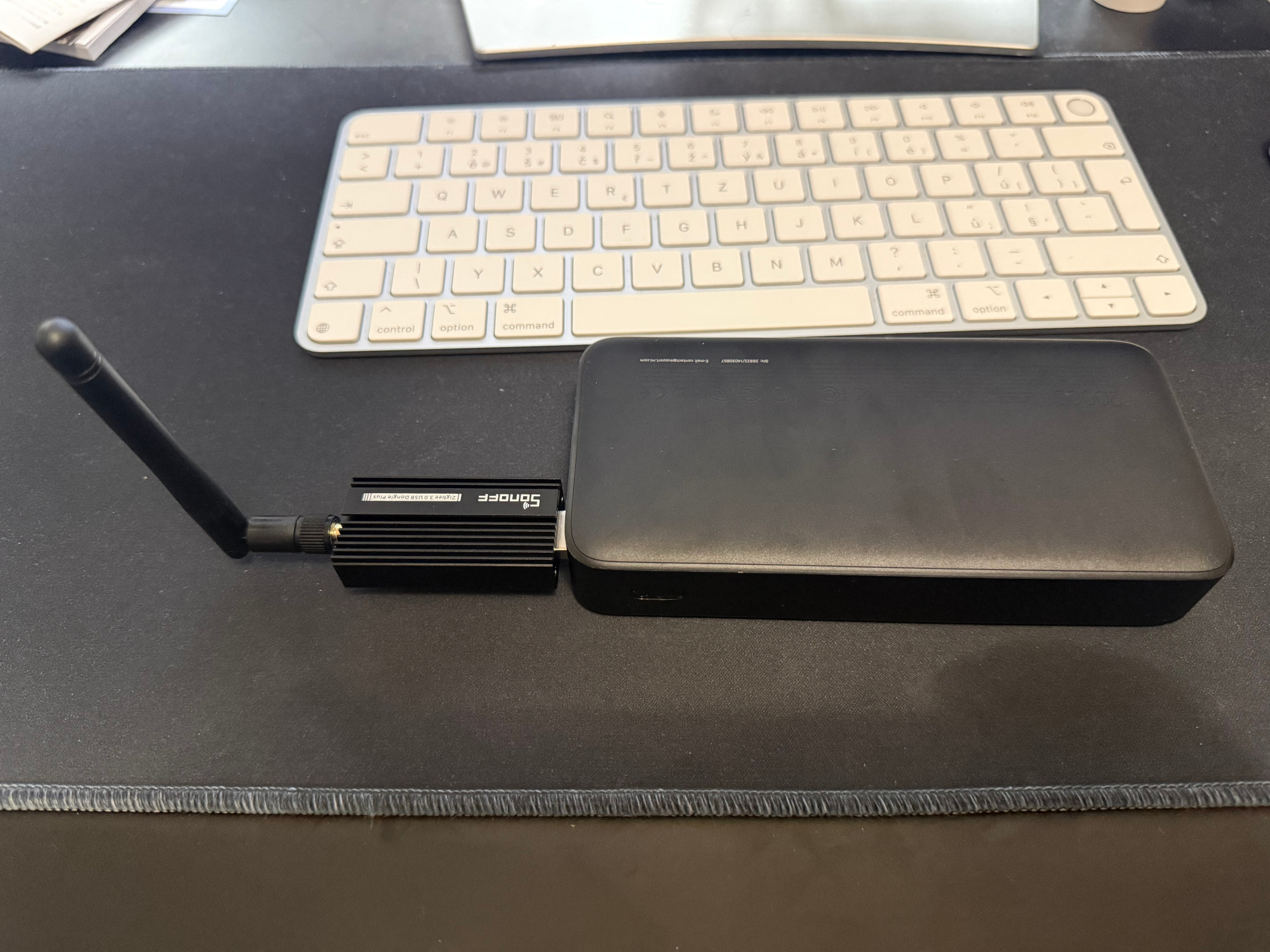
I used a Sonoff Zigbee Dongle‑E flashed with router firmware.
Normally, this device acts as a coordinator, but when flashed with router firmware, it becomes a dedicated Zigbee router.
This extends the mesh network range. I powered the router with a power bank because there are no power outlets near my apartment’s entrance.
Full hardware list
- Aqara Motion Sensor P1
- Sonoff Zigbee 3.0 USB Dongle Plus (ZBDongle-E)
- Xiaomi 20,000 mAh power bank
- USB keep-alive module (adjustable dummy load)
- Existing Zigbee2MQTT setup
Critical problem: Power bank shutdown
Initially, everything worked perfectly, then it stopped working and the router disappeared randomly.
Cause: power bank auto shutdown.
Power banks automatically shut down when the current draw is too low. Because the Zigbee router consumes very little power, the power bank assumed nothing was connected and turned itself off.
This silently killed the Zigbee network extension and broke mailbox notifications.
Final fix: USB keep‑alive module
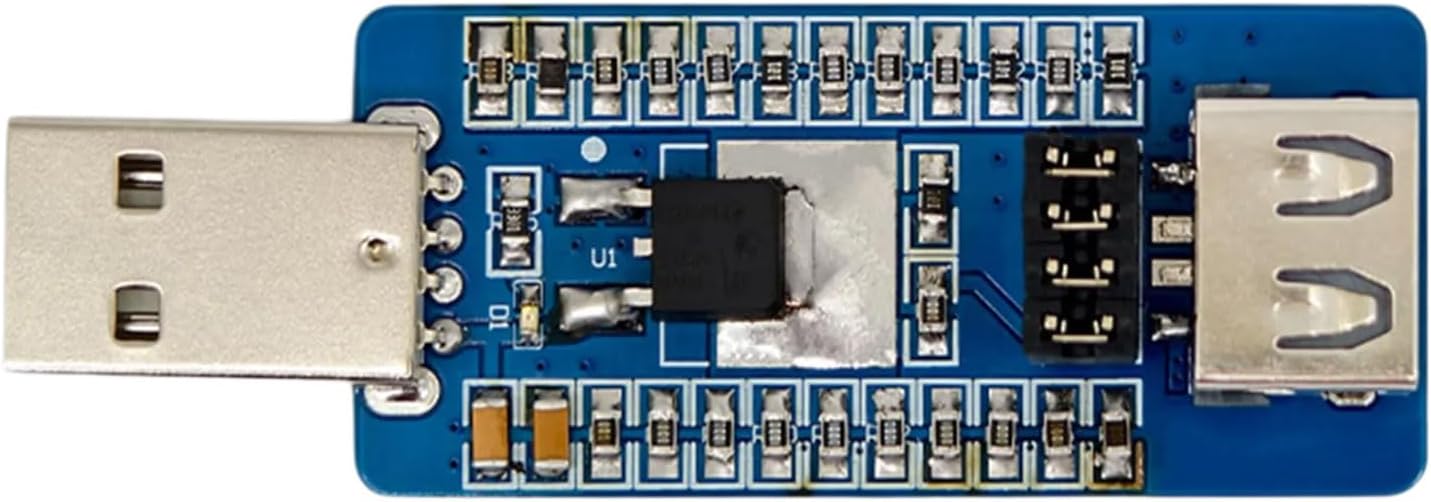
The solution was adding a configurable USB dummy load. This device draws a small constant current, tricking the power bank into believing an active device is connected, preventing automatic shutdown.
You can find the exact model I bought on Amazon
Architecture update
This keeps the router powered continuously and stabilizes the Zigbee mesh.
Step-by-step implementation
- Flash the Sonoff dongle with router firmware. I’ve done it via the Sonoff website
- Pair it into Zigbee2MQTT and name it
zigbee_router_hallway. - Power it from the power bank and place it high in the hallway.
- Pair the Aqara motion sensor and mount it inside the mailbox.
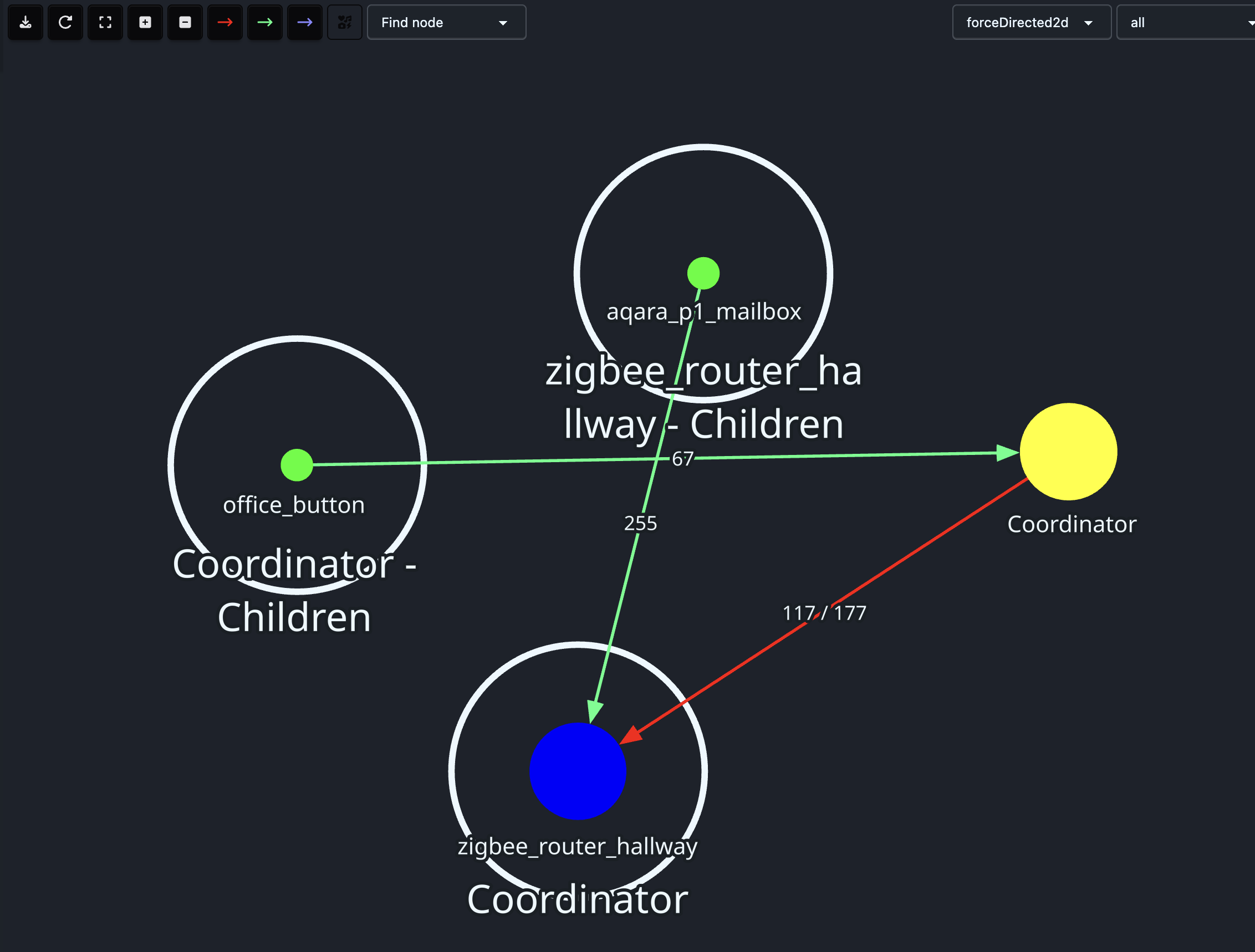
- Verify routing in the Zigbee2MQTT network map.
- Configure occupancy timeout to 90 seconds.
Software architecture
The software flow:
Motion automation
Home Assistant automation:
alias: Mailbox - Notify on motion
trigger:
  - platform: state
    entity_id: binary_sensor.aqara_p1_mailbox_occupancy
    from: "off"
    to: "on"
action:
  - service: notify.mobile_app_jon_iphone
    data:
      title: "📬 Mailbox"
      message: "You've got a new letter!"
Router reliability monitoring
Because the hallway router runs on a power bank, monitoring is as important as the mailbox notification. If the battery dies, the automation silently stops working.
Why availability sensors were not enough
Zigbee2MQTT availability works for many devices, but a battery-powered router can stop sending updates without reliably publishing an offline transition.
For this case, last_seen is more reliable than plain availability state.
Stale sensor in configuration.yaml
I used a stale detector based on last_seen in configuration.yaml:
template:
  - binary_sensor:
      - name: "Zigbee Router Hallway Stale"
        unique_id: zigbee_router_hallway_stale
        device_class: connectivity
        state: >

          {% set s = states('sensor.zigbee_router_hallway_last_seen') %}
          {% if s in ['unknown', 'unavailable', 'none', ''] %}
            true
          {% else %}
            {{ (now() - states.sensor.zigbee_router_hallway_last_seen.last_updated).total_seconds() > 900 }}
          {% endif %}
This sensor turns on when the router has not reported anything for more than 15 minutes.
Offline notification automation
alias: Notify Zigbee Router Hallway Offline (Last seen watchdog)
trigger:
  - platform: state
    entity_id: binary_sensor.zigbee_router_hallway_stale
    to: "on"
    for: "00:02:00"
action:
  - service: notify.persistent_notification
    data:
      title: "⚠ Zigbee Router Offline"
      message: "No Zigbee router heartbeat for ~10+ minutes. Power bank likely empty."
  - service: notify.mobile_app_jon_iphone
    data:
      title: "⚠ Zigbee Router Offline"
      message: "No Zigbee router heartbeat for ~10+ minutes. Power bank likely empty."
  - service: input_boolean.turn_on
    target:
      entity_id: input_boolean.zigbee_router_hallway_was_offline
mode: single
Back online automation
alias: Notify Zigbee Router Hallway Back Online (Last seen watchdog)
trigger:
  - platform: state
    entity_id: binary_sensor.zigbee_router_hallway_stale
    to: "off"
action:
  - service: notify.persistent_notification
    data:
      title: "✅ Zigbee Router Online"
      message: "Hallway Zigbee router is reporting again."
  - service: notify.mobile_app_jon_iphone
    data:
      title: "✅ Zigbee Router Online"
      message: "Hallway Zigbee router is reporting again."
  - service: input_boolean.turn_off
    target:
      entity_id: input_boolean.zigbee_router_hallway_was_offline
mode: single
This approach proved more reliable than relying on MQTT availability alone.
Power consumption considerations
Router consumption: ~0.5W
Dummy load consumption: configurable
Power bank runtime depends on configured load, which creates a trade‑off:
- Lower load → longer runtime
- Higher load → more reliability
Final result
Now the system works reliably.
When a letter arrives:
- Phone receives notification instantly.
- No manual checking required.

This small project turned an ordinary mailbox into an event-driven system, proving that software architecture does not have to stop at the boundaries of a server.
Why this matters
Software architecture is fundamentally about converting events into actions.
Most engineers apply this thinking inside software systems:
- HTTP requests
- Database changes
- Queue messages
But the same principles apply to the physical world.
A mailbox opening becomes an event. A motion sensor becomes an event producer. Zigbee becomes a transport layer. MQTT becomes an event bus. Home Assistant becomes an event processor.
This is event-driven architecture applied to reality itself.
Once you start thinking this way, the boundary between software and physical systems begins to disappear.
Everything becomes part of your architecture.
Lessons learned
- Zigbee routers are flexible when used intentionally.
- Power banks can replace mains power in constrained locations.
last_seen-based monitoring is more reliable than availability flags in this case.- Conservative timeouts reduce false alerts.
Future improvements
I’m planning to make Home Assistant play an audio announcement on Siri/HomePod when new mail arrives. It would be awesome to have that in Matt Berry’s voice!